Smart focus Timer: Excel Audit Log
A downloadable tool for Windows
Smart Focus Timer: Precision, Automation, and Privacy.
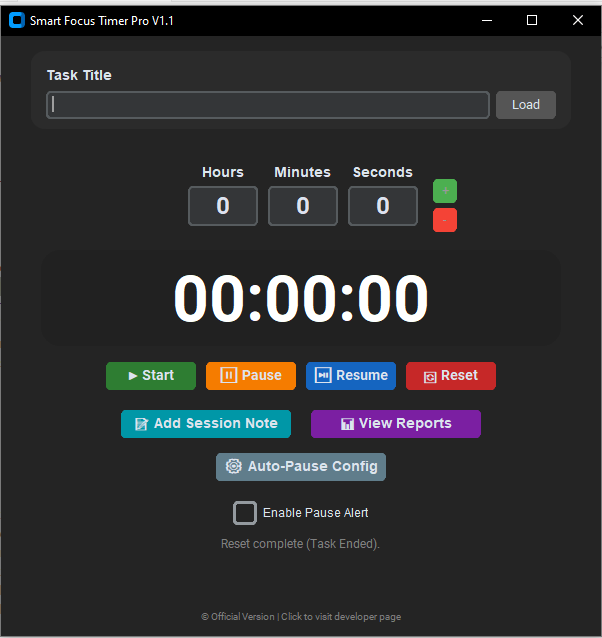
Smart Focus Timer is a professional desktop utility designed to streamline time tracking for freelancers, students, and researchers. It automates the documentation process, allowing you to focus entirely on your tasks while the software handles the logging with high precision
🌟 Key Features & Capabilities
1. Smart Task Resume & History Loader
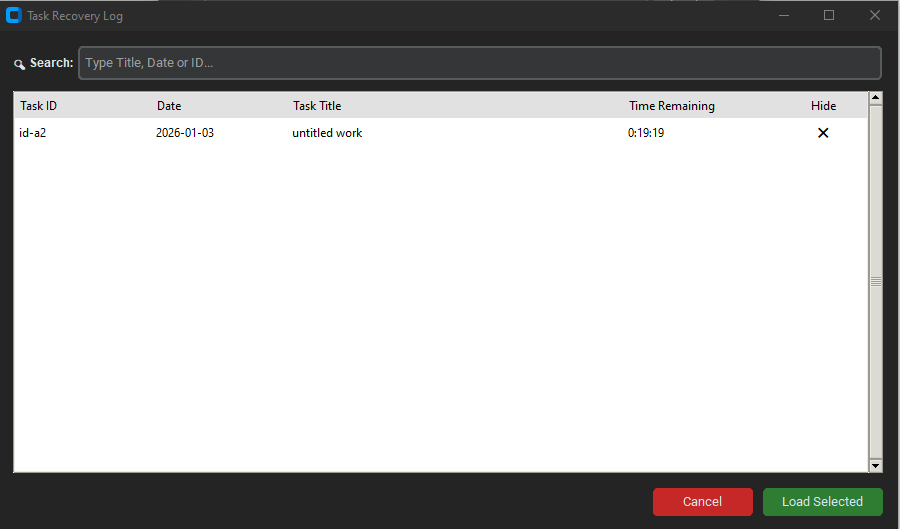
Don't waste time re-entering details or calculating remaining time manually. The built-in Task Recovery System scans your local Excel logs to create a searchable history of your previous sessions.
- One-Click Load: Instantly find and resume any past task. The app automatically retrieves the title and the exact time remaining.
- Search & Filter: Easily locate specific projects by Title, Date, or ID using the search bar.
- Seamless Continuity: Pick up exactly where you left off, ensuring long-term projects are tracked accurately across multiple days or sessions.
2. Dual Auto-Pause Technology (Configurable)
The software offers two distinct, selectable modes to detect inactivity, ensuring accurate time tracking regardless of your workflow:
- Mode A: Screensaver Sync (Default): Utilizes Windows APIs to detect when the workstation is locked or the screensaver activates, pausing the timer instantly.
- Mode B: Idle Timeout: Monitors mouse and keyboard activity. If no input is detected for a user-defined period (e.g., 5 minutes), the timer automatically pauses. You can customize this threshold in the settings.
3. Automated Excel Reporting (.xlsx)
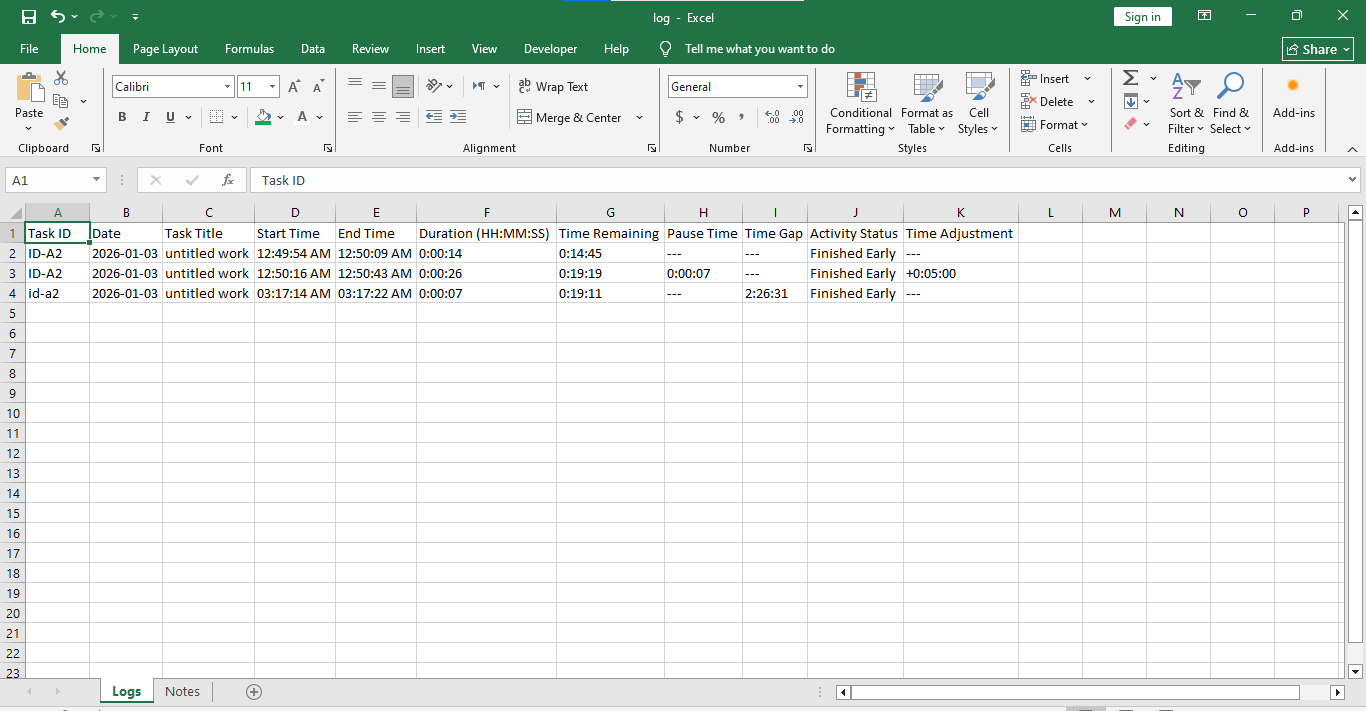
Eliminate manual data entry. The application automatically generates and updates a detailed Excel log file on your desktop (Timer_Logs folder) with two dedicated sheets:
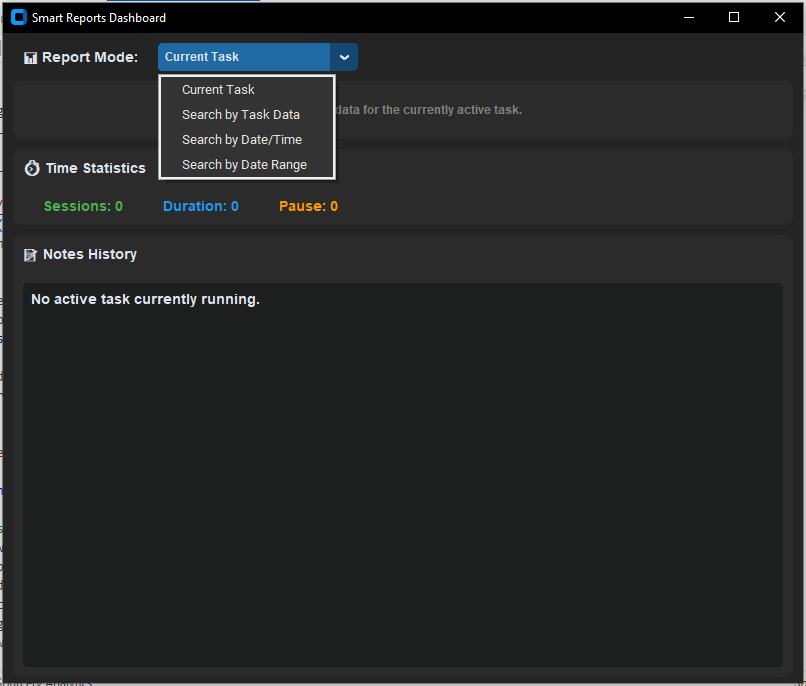
- Logs Sheet: Records Task Title, Date, Exact Start & End Times, Net Duration, Pause Duration, and Manual Adjustments.
- Notes Sheet: Stores session-specific notes with timestamps for detailed project documentation.
4. Data Safety & Crash Recovery
Built with a robust "Shadow Save" mechanism. In the event of a sudden power loss or system crash, the software retains your active session data and restores the task state upon the next launch, ensuring no work time is lost.
5. Session Notes & Documentation
Includes a built-in note-taking feature allowing you to attach specific details or progress updates to any active session. These notes are automatically archived in the Excel report.
6. 100% Private & Offline
Designed for security-conscious users. The application operates completely offline. No data is sent to the cloud, no accounts are required, and your logs remain exclusively on your local machine.
7. Modern User Experience
- System Tray Support: Can be minimized to the system tray to keep your taskbar clean while running in the background.
- Smart Alerts: A distinct, glowing notification window appears if the timer is left paused for too long, reminding you to resume work.
- Dark Mode UI: A sleek, eye-friendly interface built with CustomTkinter.
Purchase
In order to download this tool you must purchase it at or above the minimum price of $7 USD. You will get access to the following files:
Leave a comment
Log in with itch.io to leave a comment.